ATDSol. LeanIX · EA Demo
~42 min
SAP LeanIX · EA Tools Demo · BITAS 2026

From architecture data
to AI-assisted decisions.

EA supplies the enterprise context AI needs. SAP LeanIX connects and governs that context so people and AI agents can answer enterprise-specific questions with evidence.

The question we will answer Which critical business capabilities depend on applications running on end-of-life technology, and who owns the remediation?
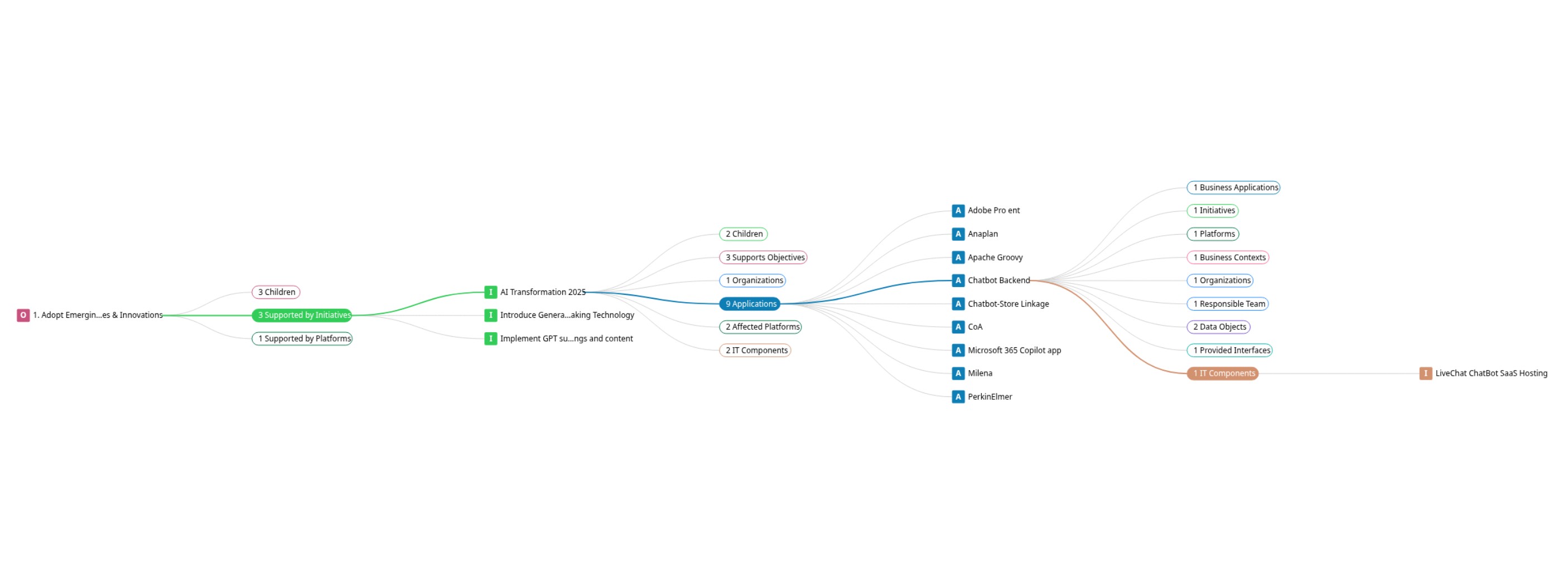
LeanIX landscape pan-out — whole organization as one connected graph
Capture 01 — Landscape The whole organization as one connected graph, strategy → capability → application → technology.
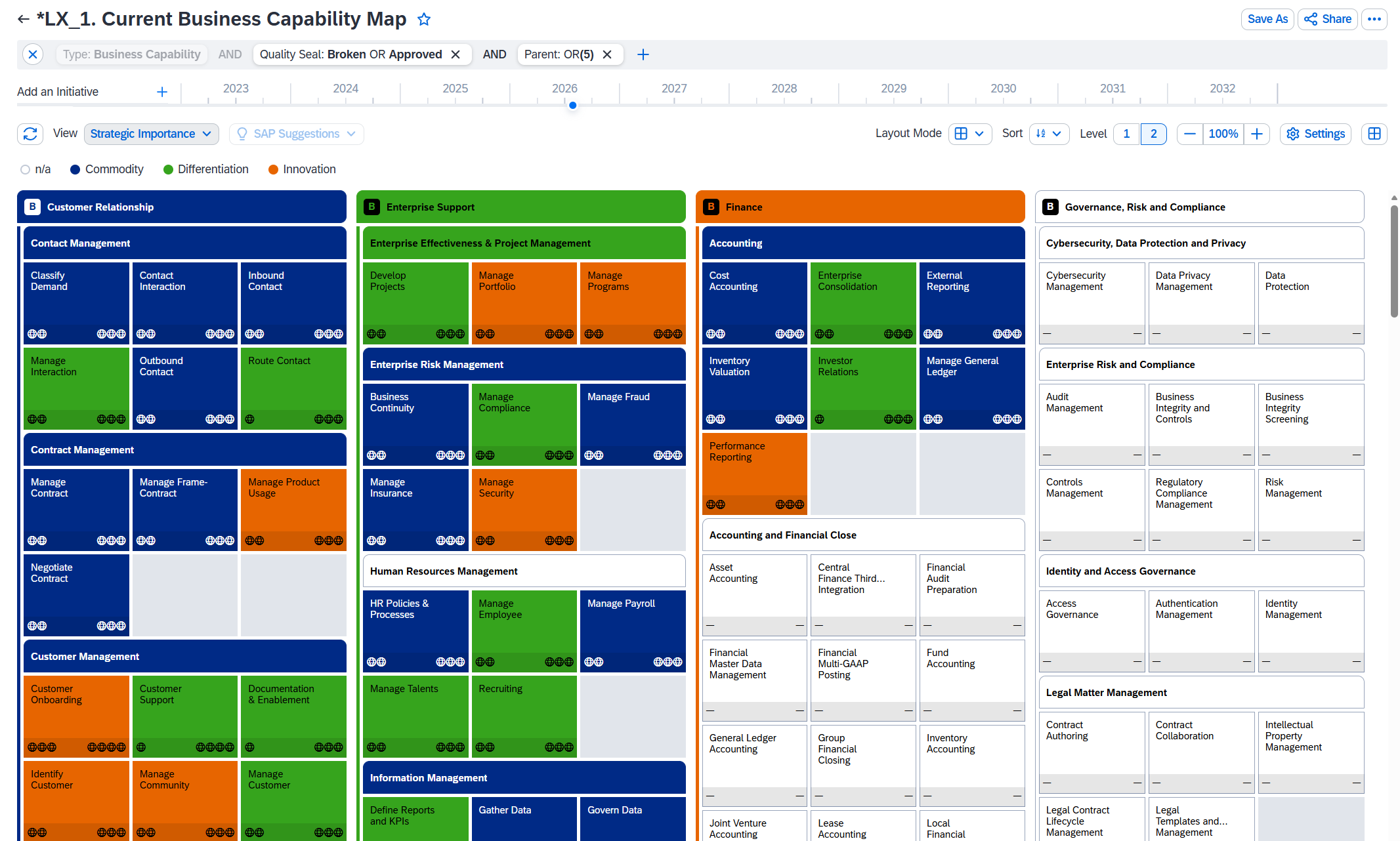
LeanIX business capability map
Capture 02 — Capability map The high-level view for business navigation.
01
The EA Shift

Bringing all domains together

05 min

Customers usually run separate, disconnected tools per domain. EA connects business capabilities, applications, technology, ownership, and initiatives so we can trace the impact behind our opening question.

The three core layers
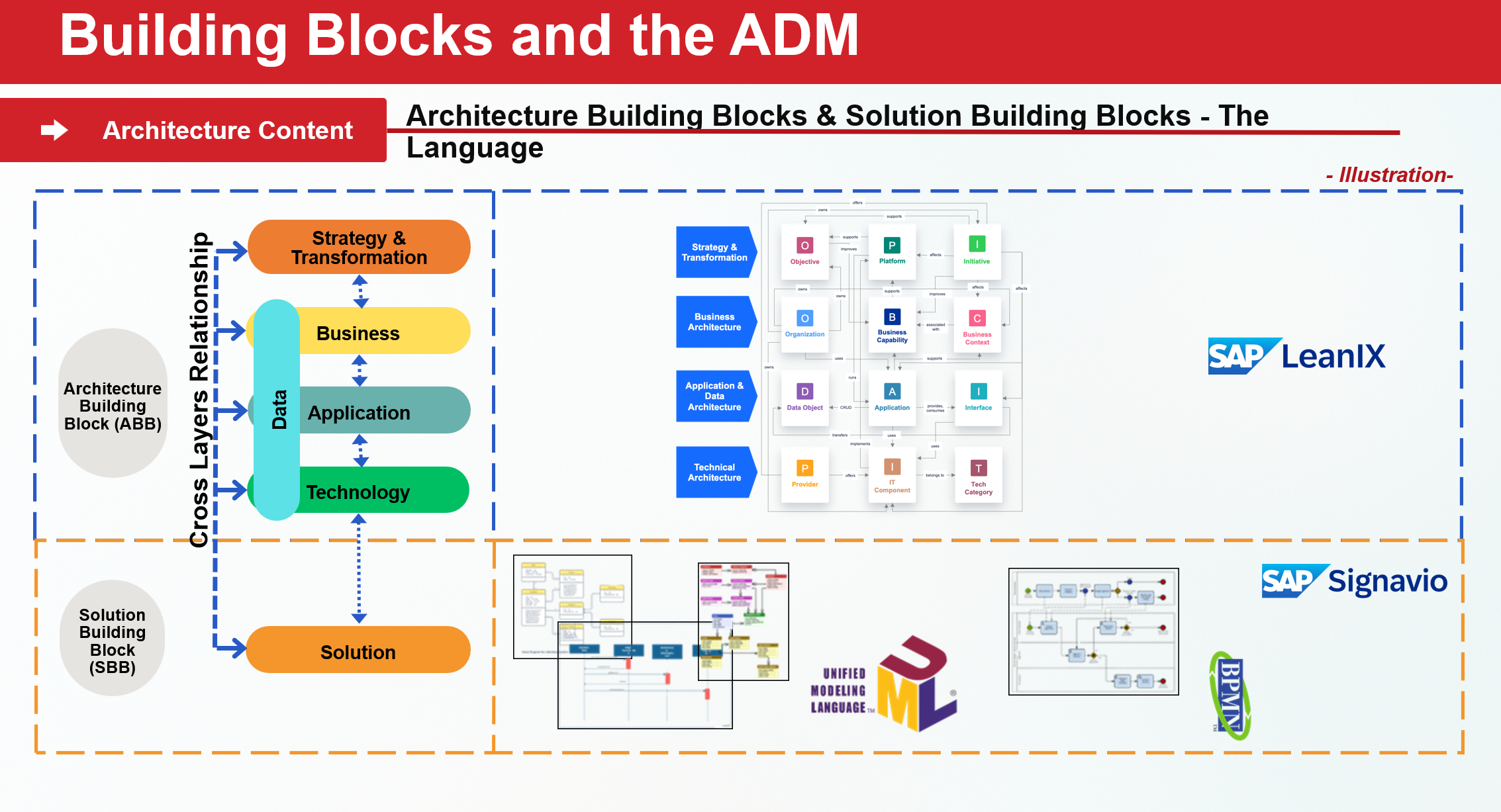
  • BusinessBusiness Capabilities, Organization, Business Context
  • ApplicationApplications, Interfaces, Data Objects
  • TechnologyIT Components, Providers, Tech Categories
  • Strategy & TransformationObjectives, Initiatives, Platforms: the steering layer on top
EA = (Solution Architect + Business Architect) + Strategic

Think of a tower. Every floor, or domain, must connect to build something taller. EA is the steel frame that links them, with a strategic layer guiding the ascent.

SAP LeanIX EA landscape — all domains connected in one repository
Capture — EA landscape All domains in one connected view.
02
Tool & EA Framework

Overview LeanIX

07 min

A connected EA repository brings data from sources such as ServiceNow, BMC, and custom databases into a shared model. Fact sheets provide a practical structure for architecture data and complement methods such as TOGAF and modeling languages such as ArchiMate.

The SAP EA Approach & Fact Sheet types

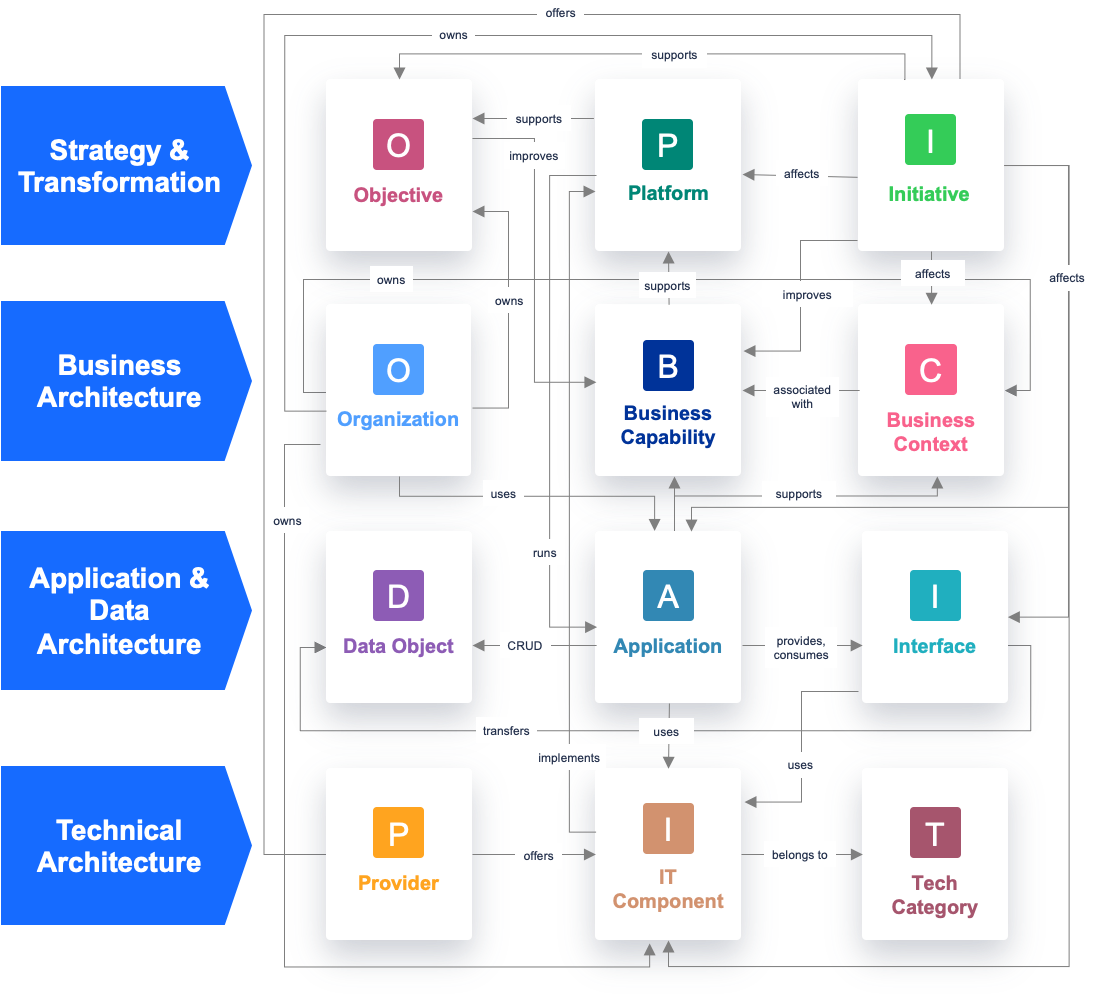
12 default fact-sheet types connect three conceptual architecture layers, with Strategy & Transformation spanning them. The prescriptive starting point is configurable when the organization needs it.

LeanIX meta model — fact-sheet types across the 4 layers
Capture 03 — Metamodel The relationships needed to trace capability → application → technology → owner → initiative.
Out-of-the-box views
  • Business Capability Maphow capabilities are supported by applications
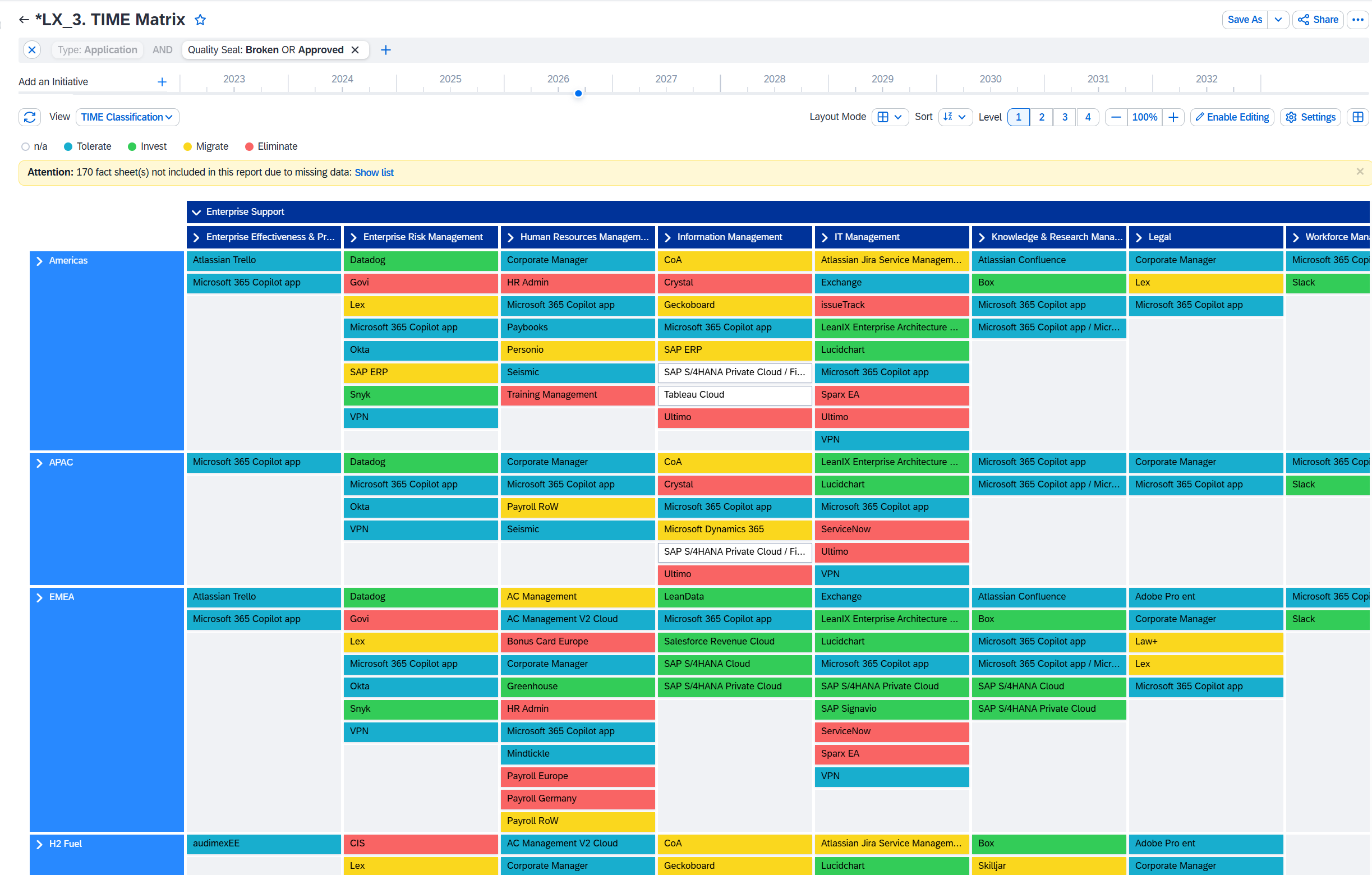
  • TIME / Application RationalizationTolerate · Invest · Migrate · Eliminate
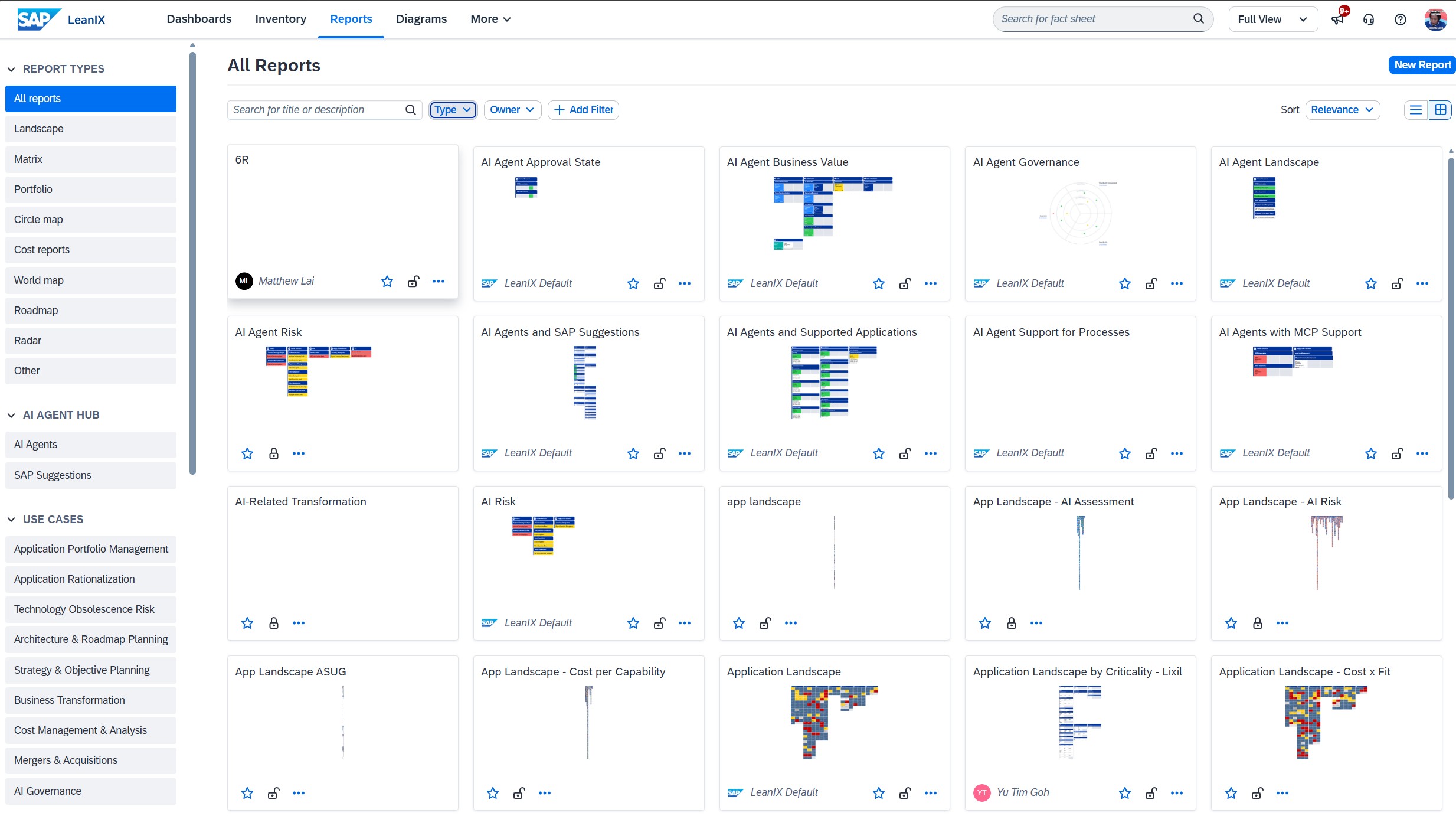
  • Application Landscapethe portfolio at a glance
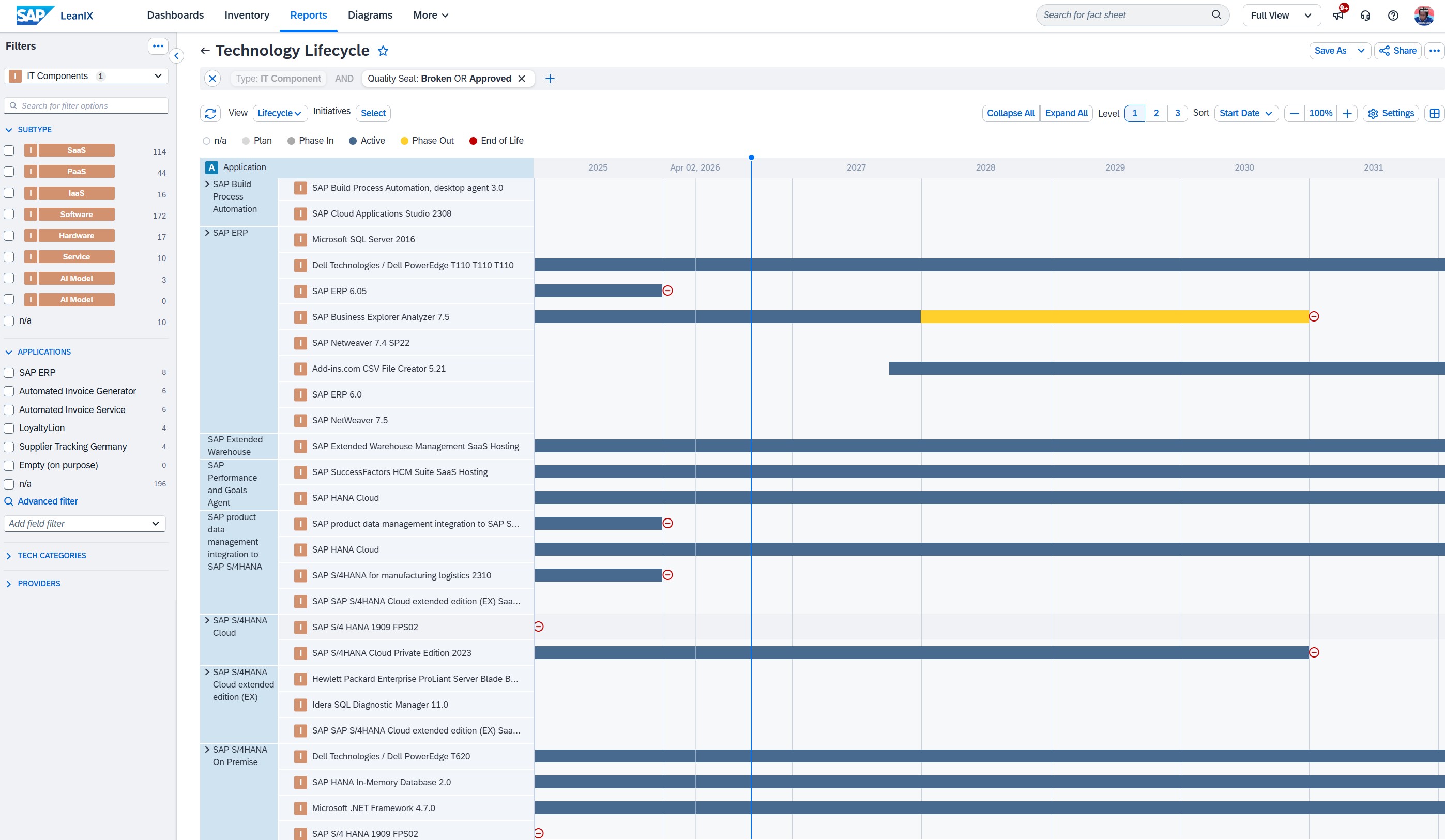
  • Risk Reporttechnology risk & dependency view
LeanIX TIME matrix — application rationalization
Capture 04 — TIME matrix Application rationalization: which to keep, invest, migrate, or retire.
03
Repository · Governance · Data Freshness

Governance & data that stays fresh

10 min

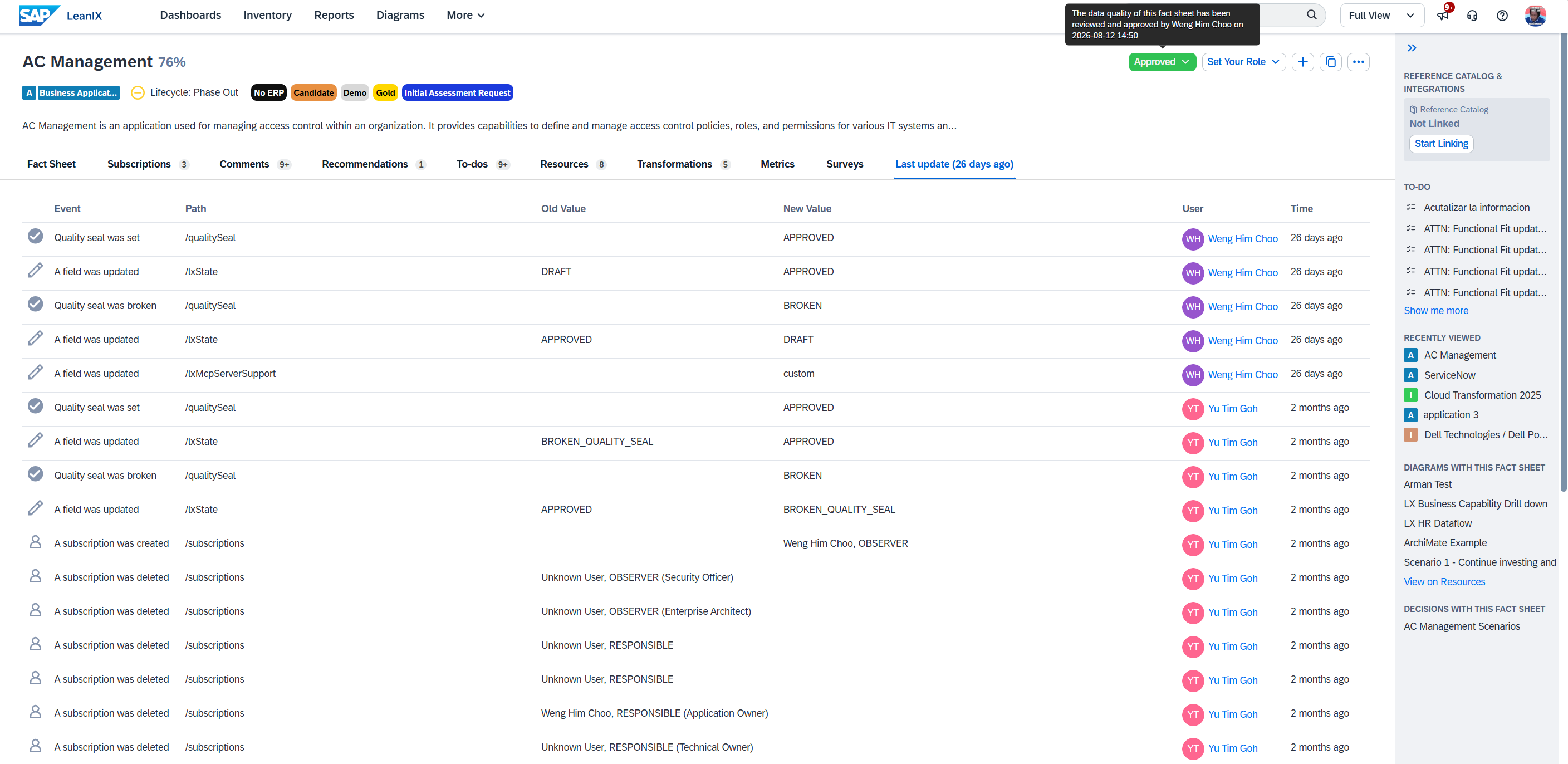
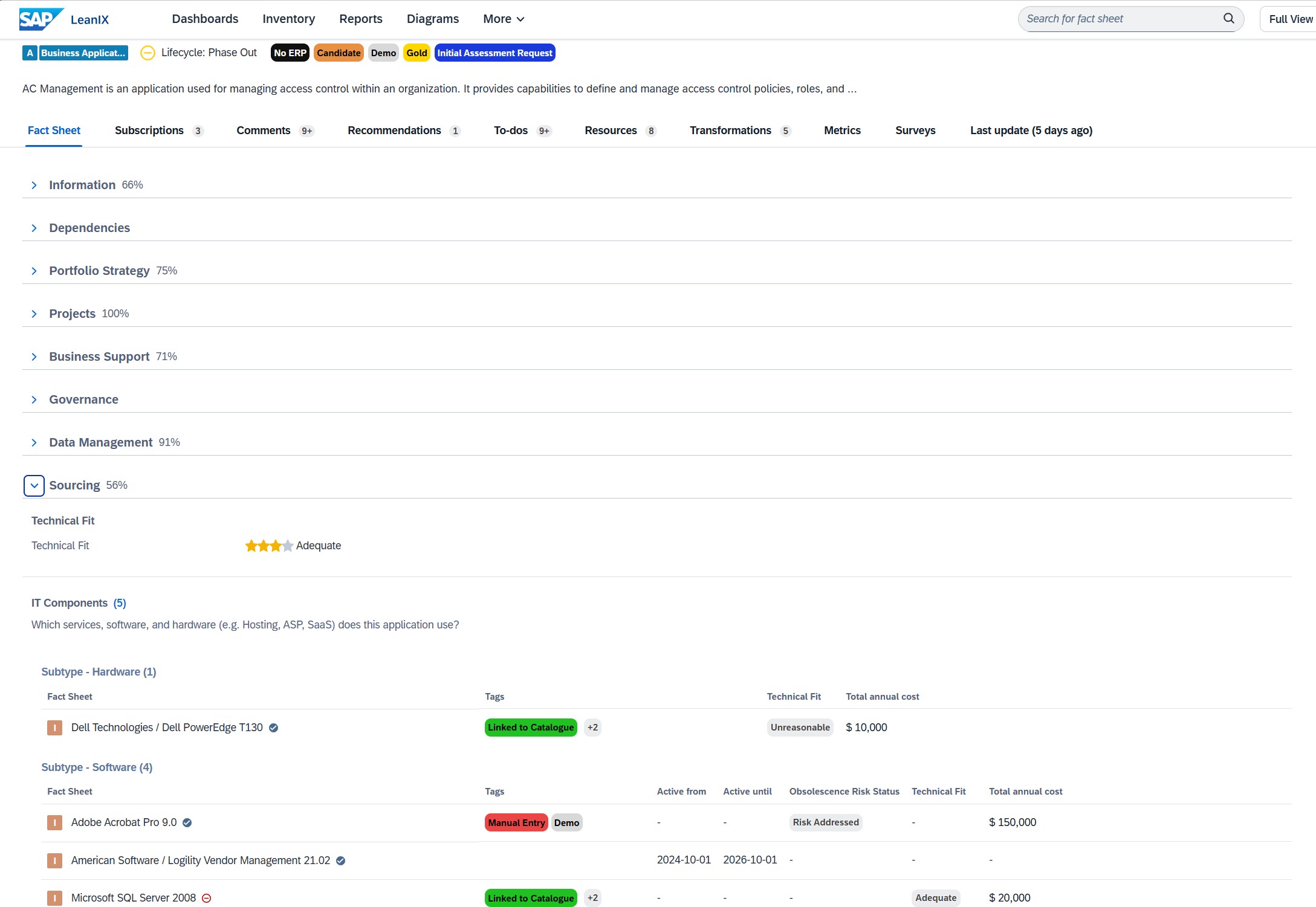
Our answer is useful only when the underlying data is complete, owned, and current. Mandatory attributes support completeness, Quality Seal assigns approval responsibility, history records changes, and surveys help owners refresh the data.

LeanIX Quality Seal approval state
Capture 06 — Quality Seal Changes can trigger review by the responsible or accountable owner before the fact sheet is approved.
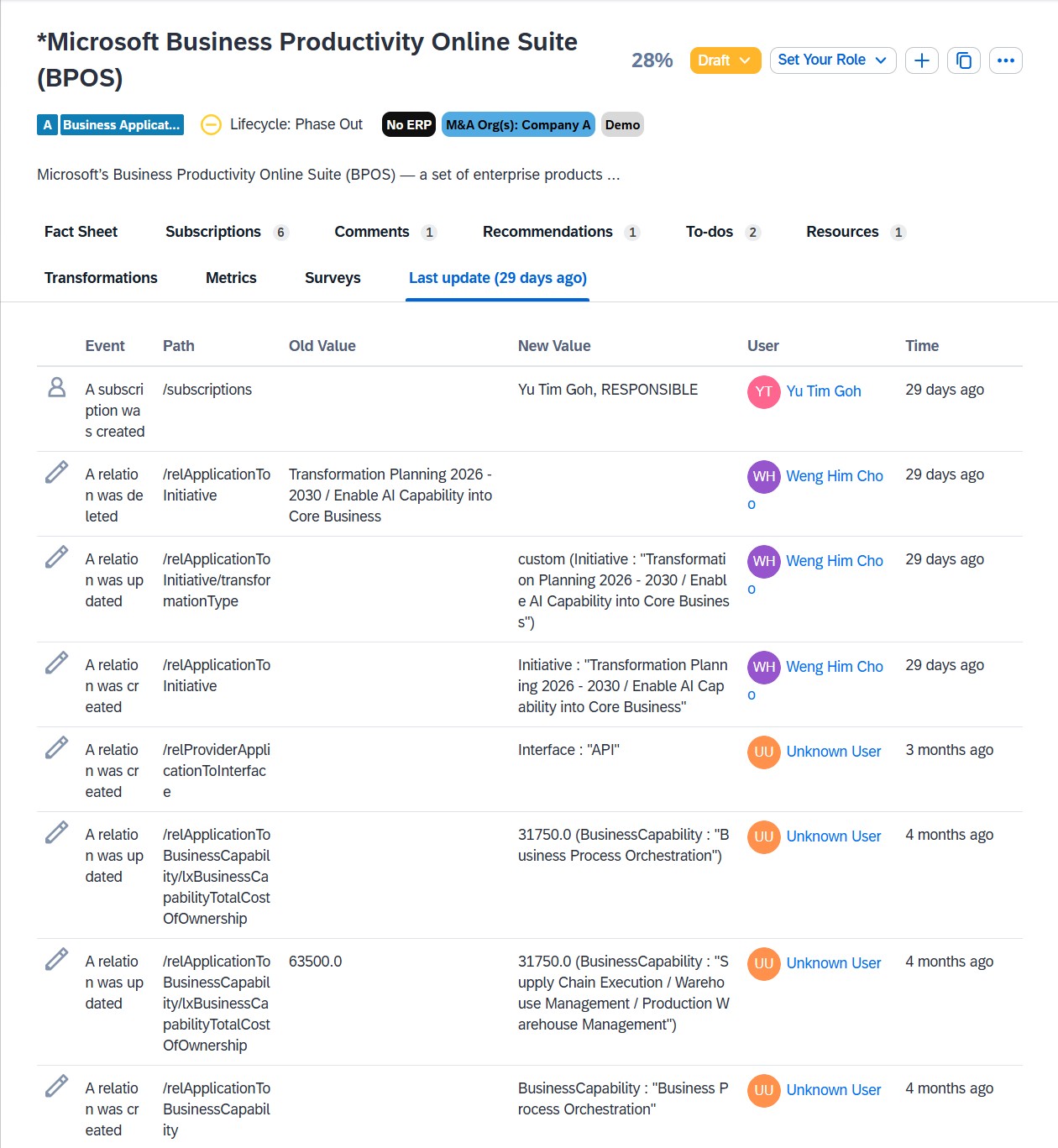
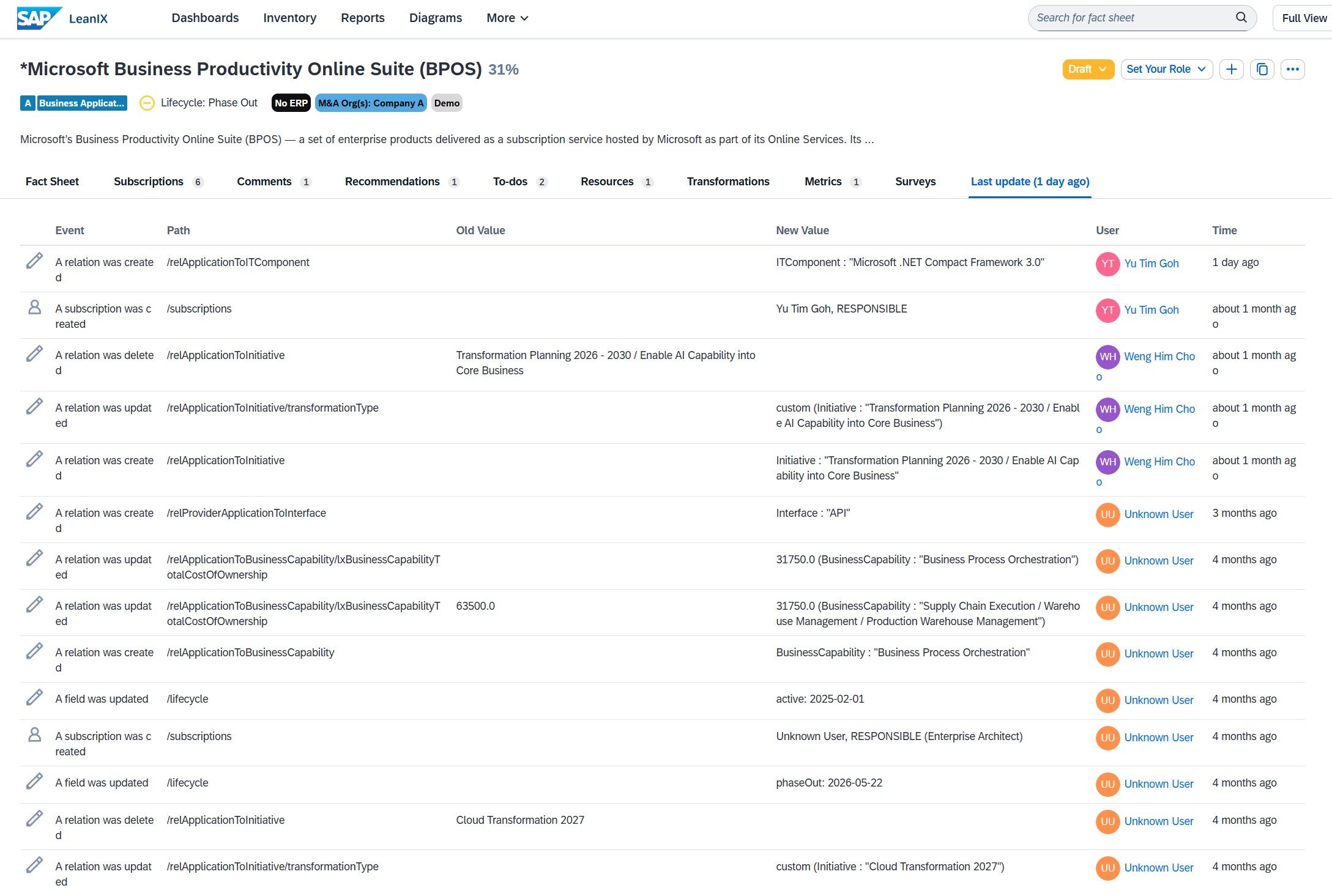
LeanIX fact-sheet history — interactive audit trail
Capture 07 — History See who changed the fact sheet, when it changed, and what was updated.
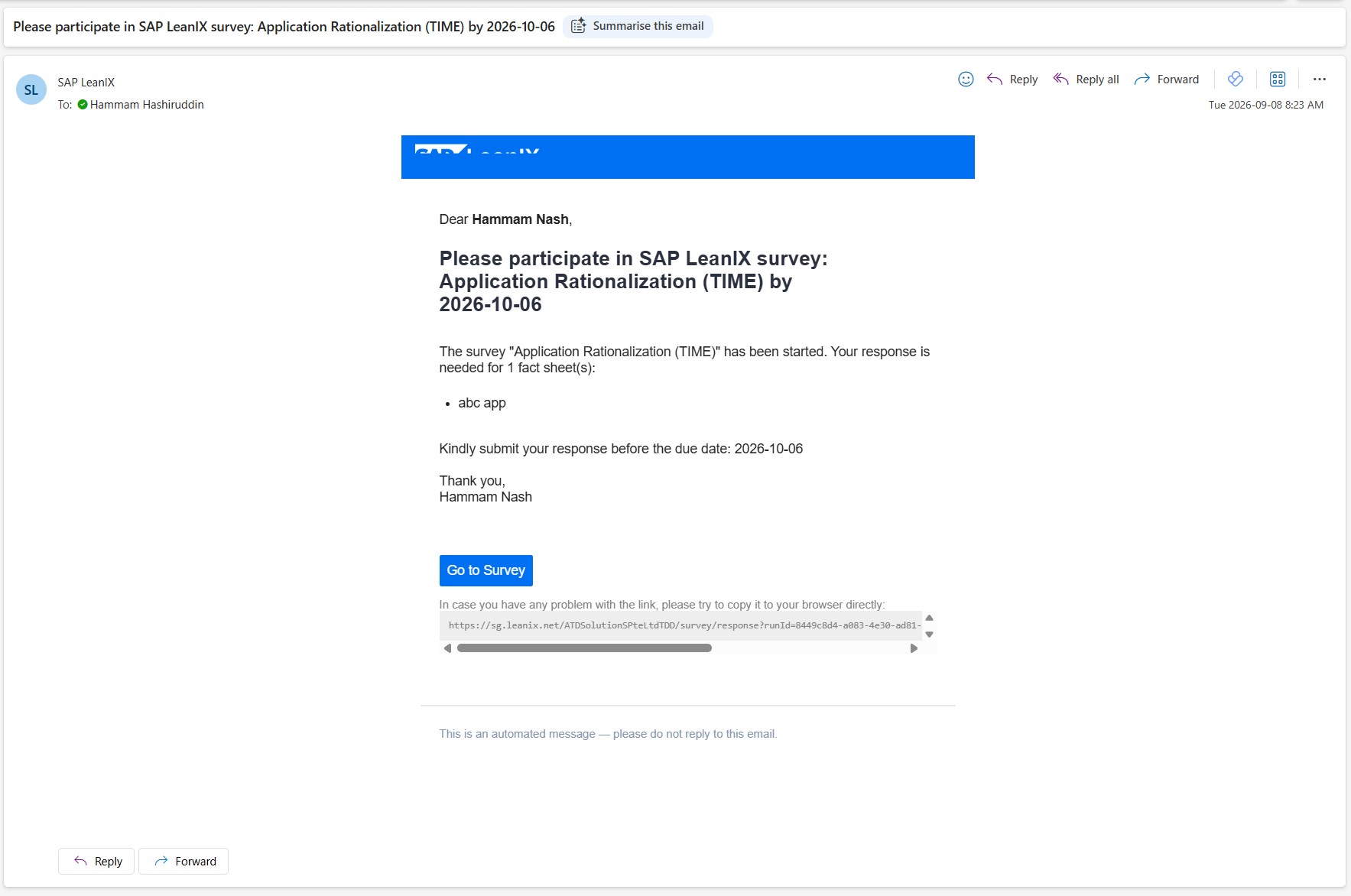
LeanIX survey questionnaire to the application owner
Capture 08 — Survey A short questionnaire to the application owner drives the periodic refresh.
What I show in LeanIX
  • Open a fact sheet and read its default attributes.
  • Show the mandatory attributes required before approval.
  • Open the Quality Seal and show who reviews and approves the fact sheet.
  • Open fact-sheet history to show who changed what and when.
  • Create and run a survey, and show the owner’s response flow.
04
Visualization & Regulatory Compliance

Diagramming, history & risk

08 min

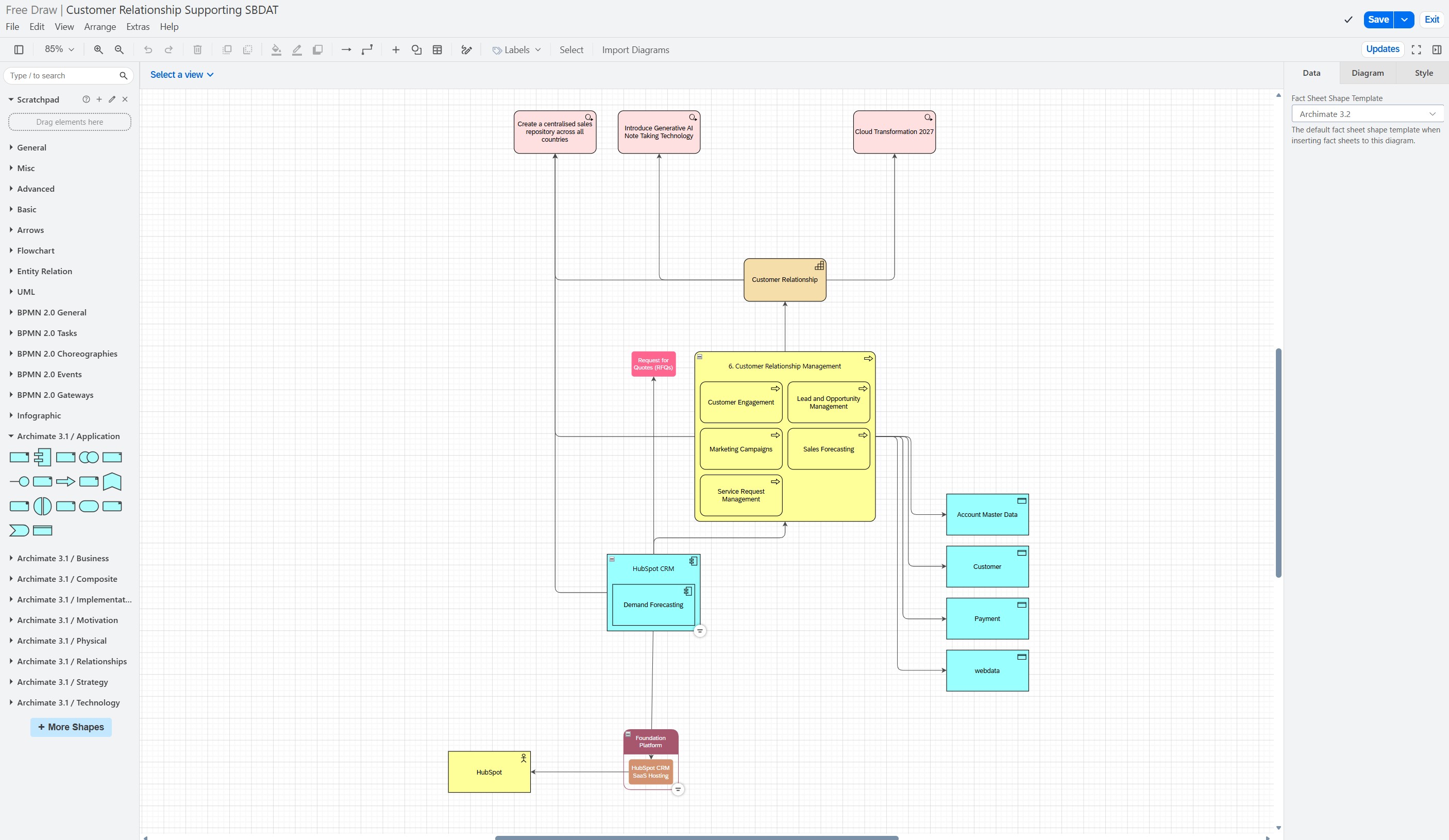
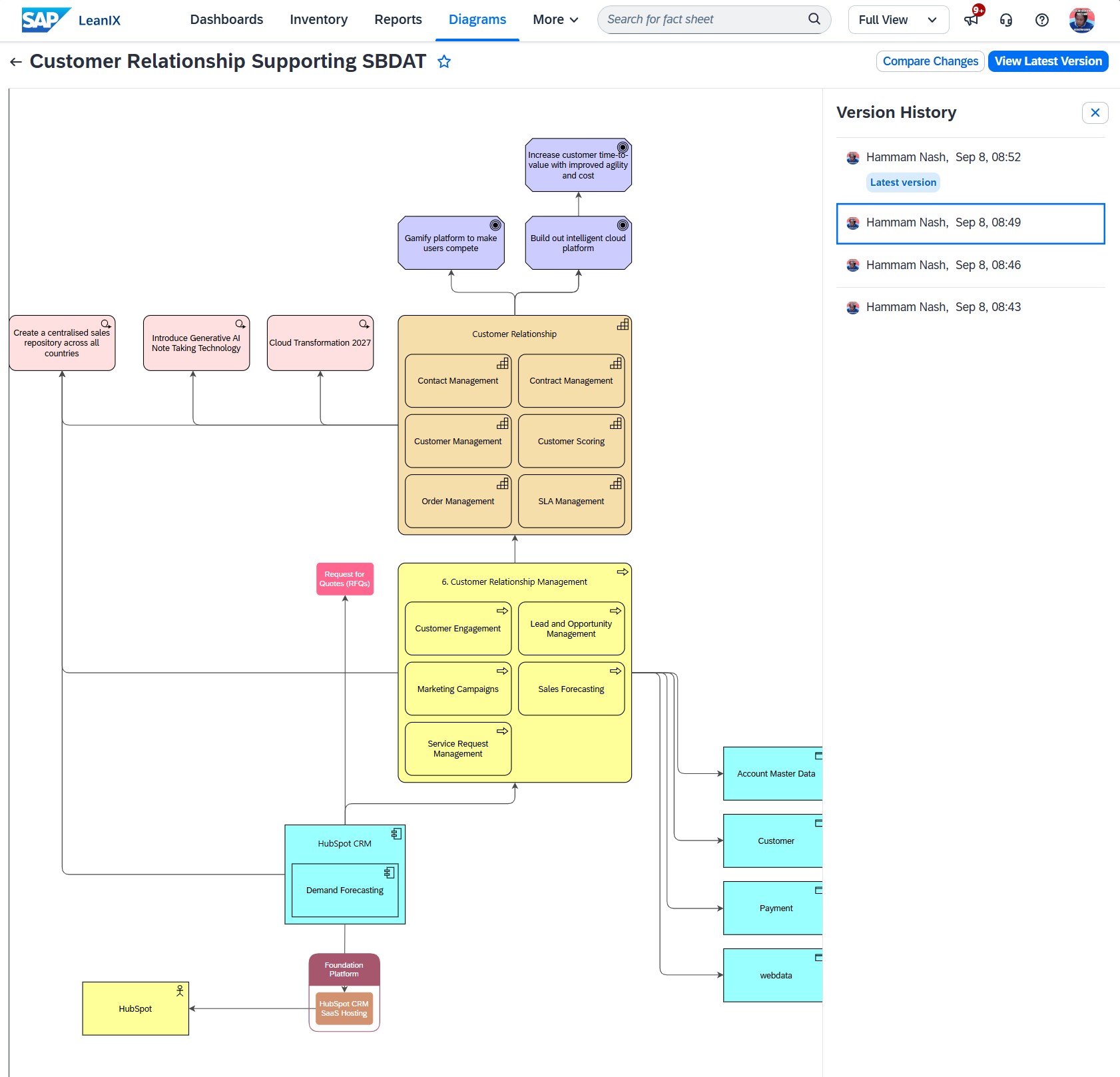
LeanIX diagrams link visual elements to repository fact sheets. Teams can review inventory changes and apply updates, compare saved diagram versions, and use risk views to trace end-of-life technology back to affected applications and capabilities.

LeanIX data-driven diagramming from fact-sheet relations
Capture 09 — Diagramming Build and edit diagrams with shapes linked to fact sheets, then review and apply inventory updates.
LeanIX diagram history — timeline slider of previous architecture states
Capture 10 — Diagram history Review, compare, and restore saved versions as the architecture changes.
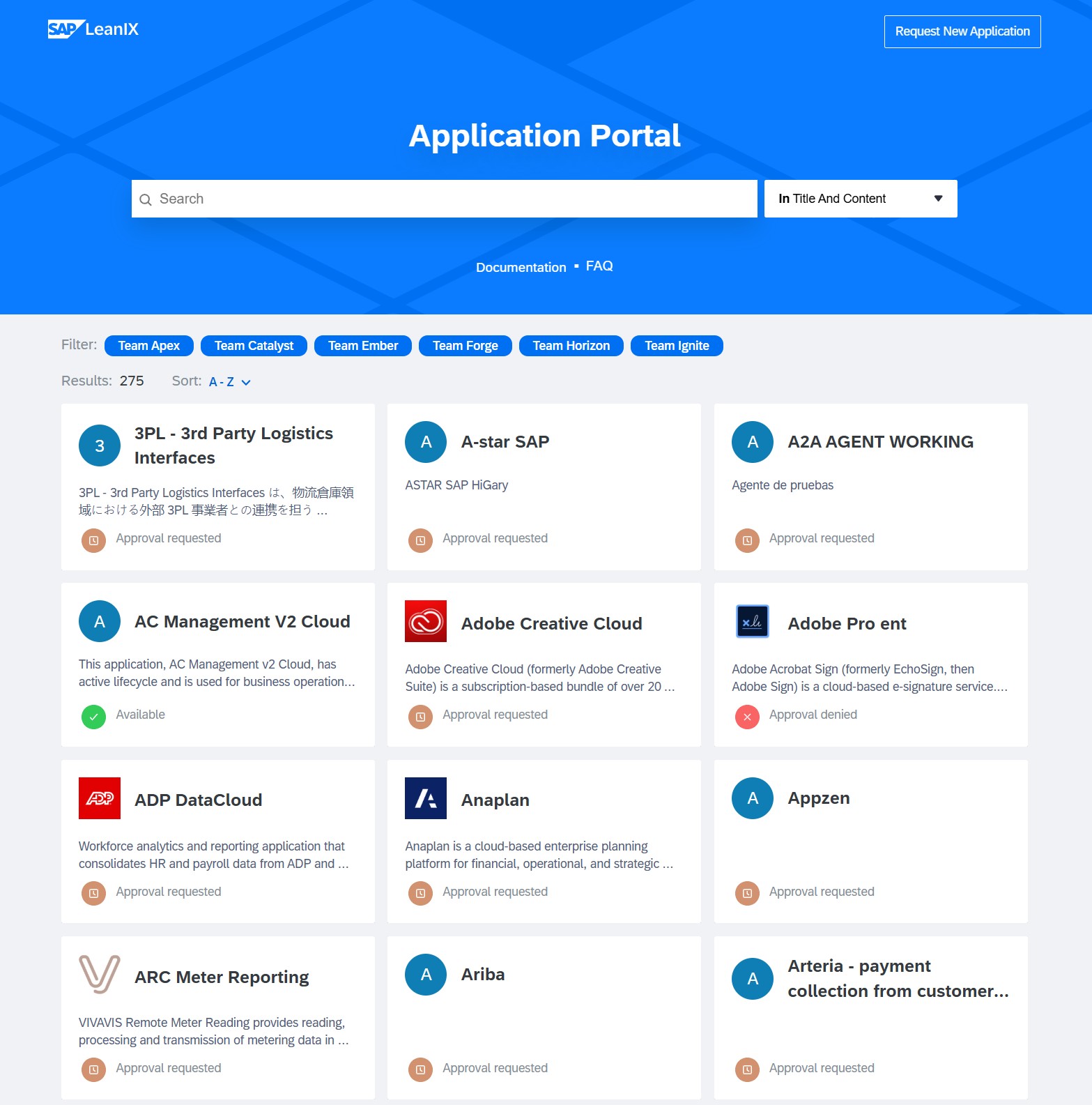
LeanIX self-service portal
Capture 11 — Portal Self-service: find an app, order software, see the approved technology catalog.
LeanIX technology risk & EOL dashboard
Capture 12 — EOL dashboard Red / yellow / green technology risk matrix — answers audit & compliance.
What I show in LeanIX
  • Open a diagram and build/edit it live from fact-sheet relations.
  • Flip through diagram history states.
  • Open a portal view.
  • Show the tech risk / EOL dashboard with color-coded risk.
05
AI Capability & Integration

Give AI enterprise context

10 min

Generic AI does not know your capabilities, applications, dependencies, owners, or initiatives. SAP LeanIX supplies that governed enterprise context to its native AI capabilities and, through MCP, to an external AI harness.

Three jobs for AI
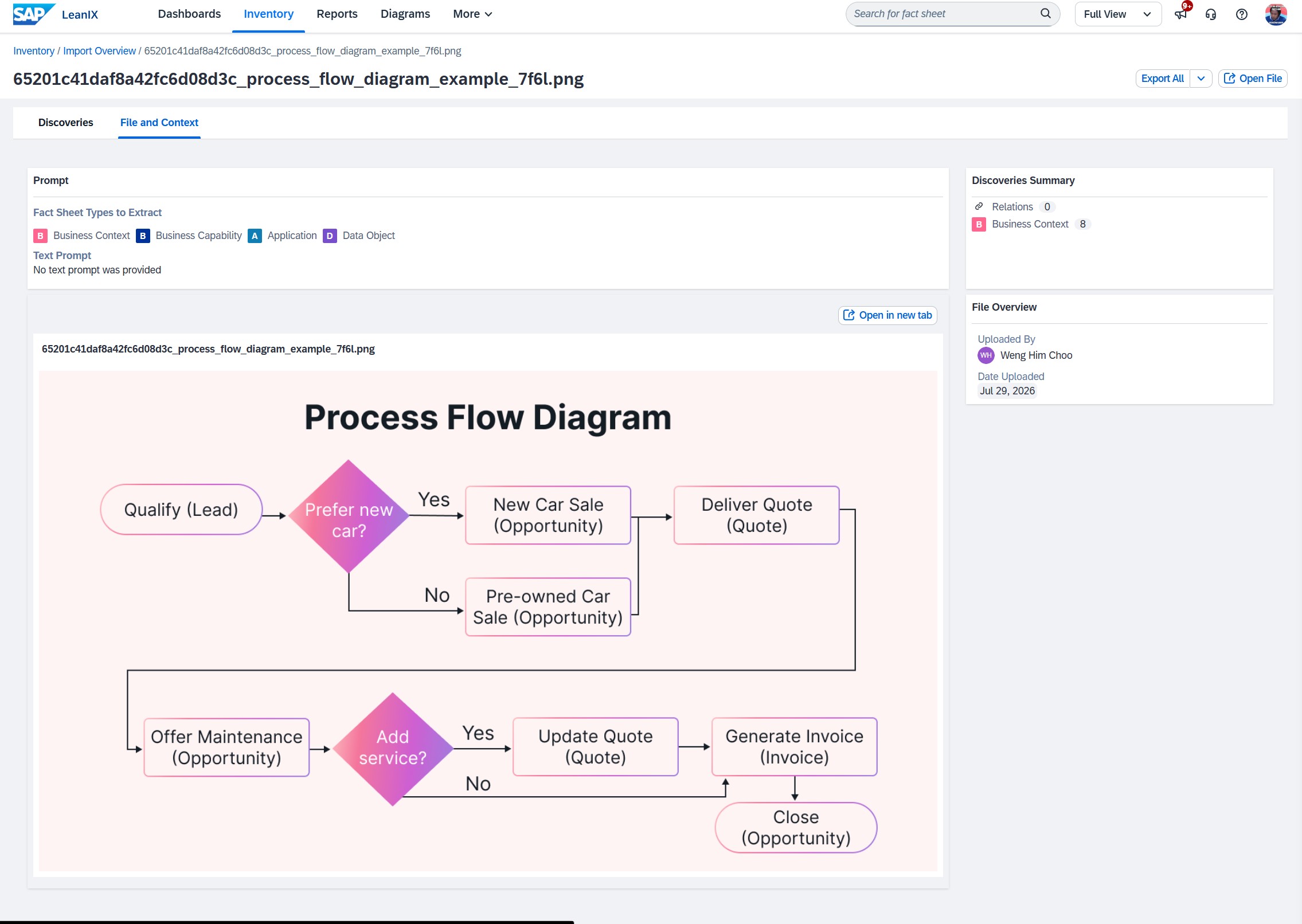
  • Discover and structureInventory Builder analyzes diagrams, images, and files, then proposes fact sheets and relations for an architect to review.
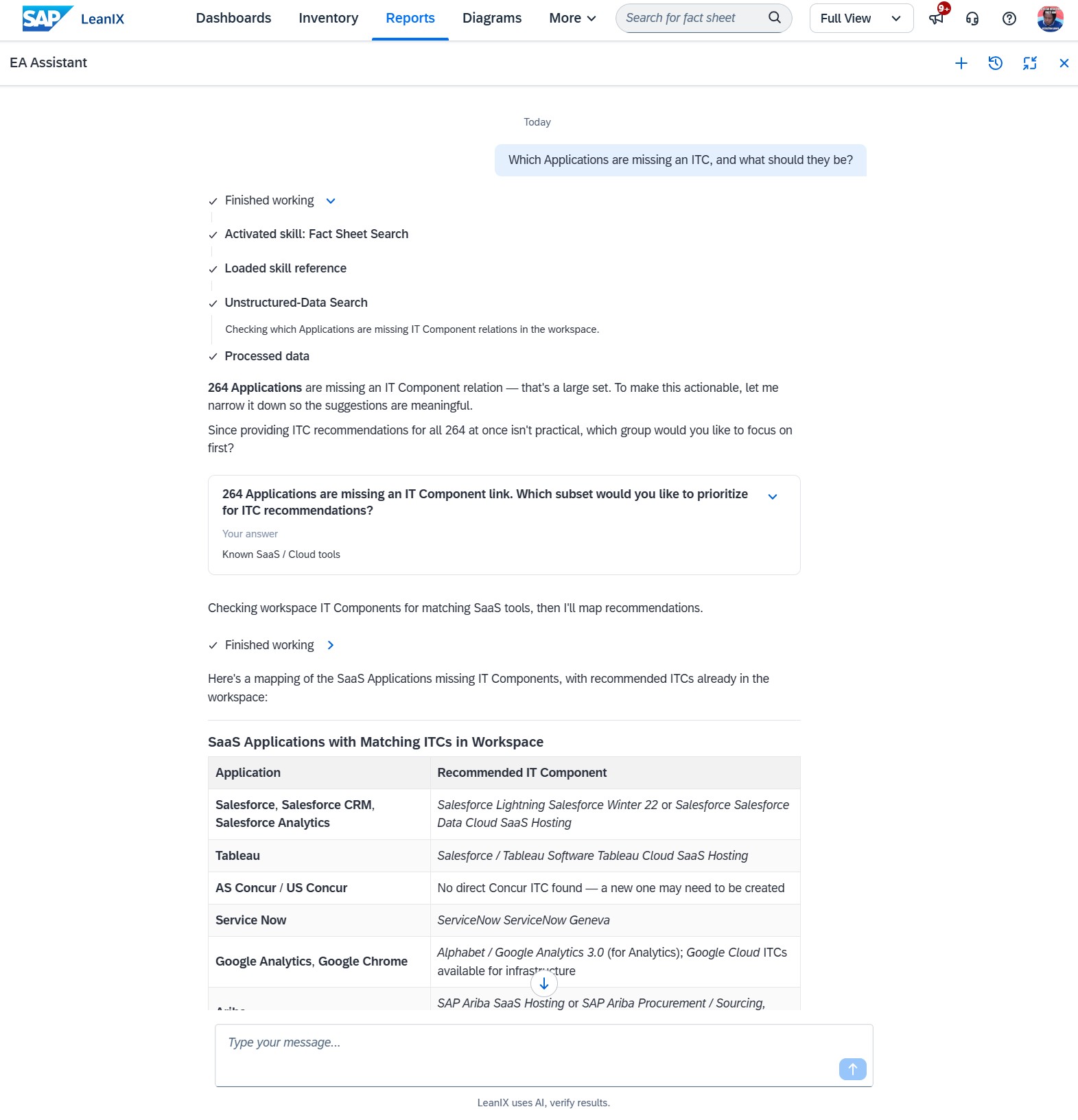
  • Ask and understandUse natural language to find architecture facts, relationships, and missing information.
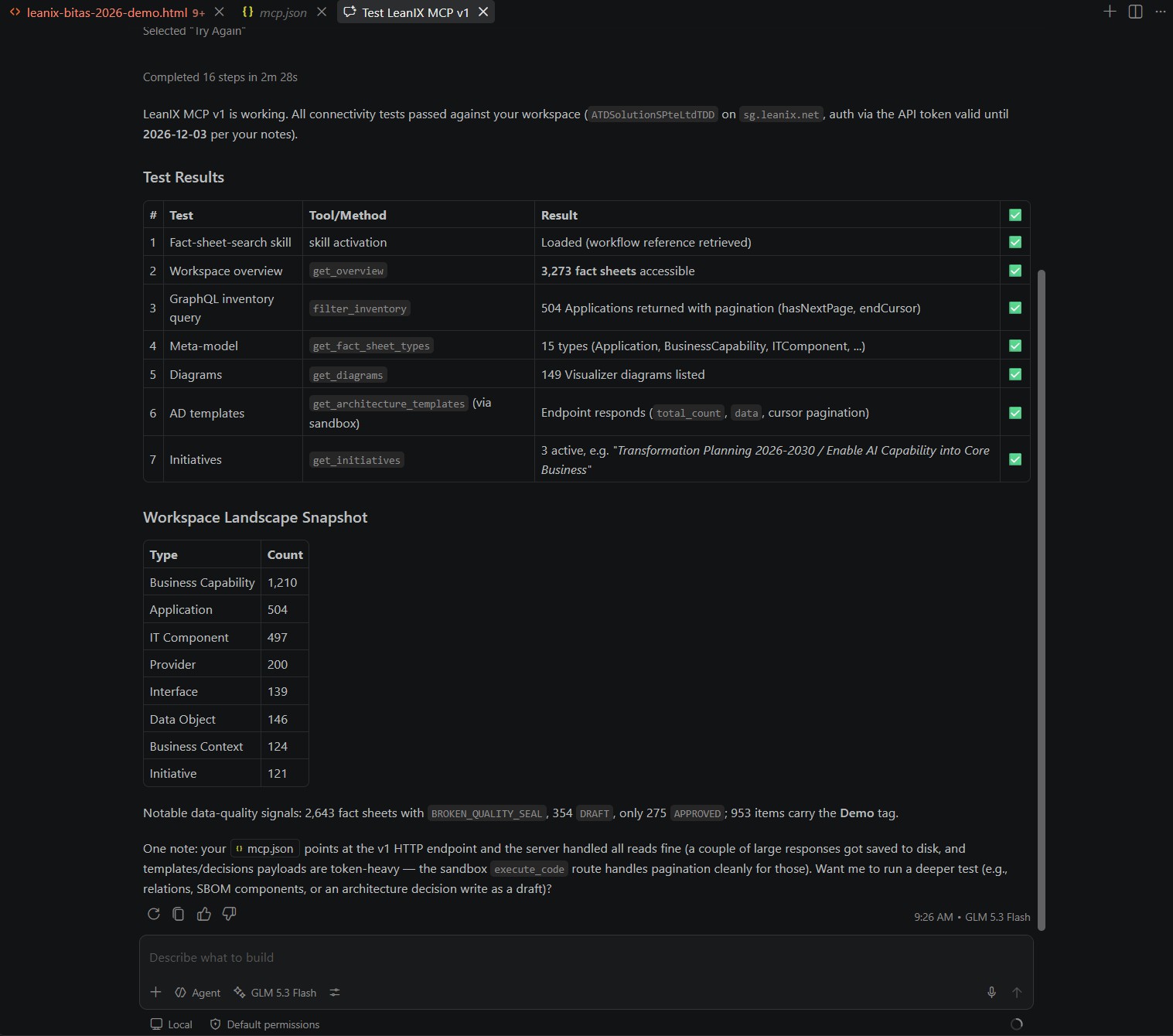
  • Connect and extendMCP gives an external AI client access to the LeanIX tools allowed for the authenticated user or technical role.
Run it in LeanIX first, then reuse it in the MCP harness.
Proof sequence: LeanIX → MCP
  1. Ask in LeanIXRun the decision-trace prompt in Joule or the LeanIX AI assistant.
  2. Open the evidenceInspect the returned capability, application, IT component, owner, and remediation records.
  3. Ask through the MCP harnessPaste the same prompt into your external AI chat connected to the SAP LeanIX MCP server.
  4. Compare and explain the boundaryBoth paths use governed repository context. MCP exposes only the tools available to the authenticated role, and missing data must remain visible.
Fallback screenshots
Capture 13–15: AI proof path Ask natively, review AI-assisted structure, then query the same governed context through MCP.
Supporting integration paths

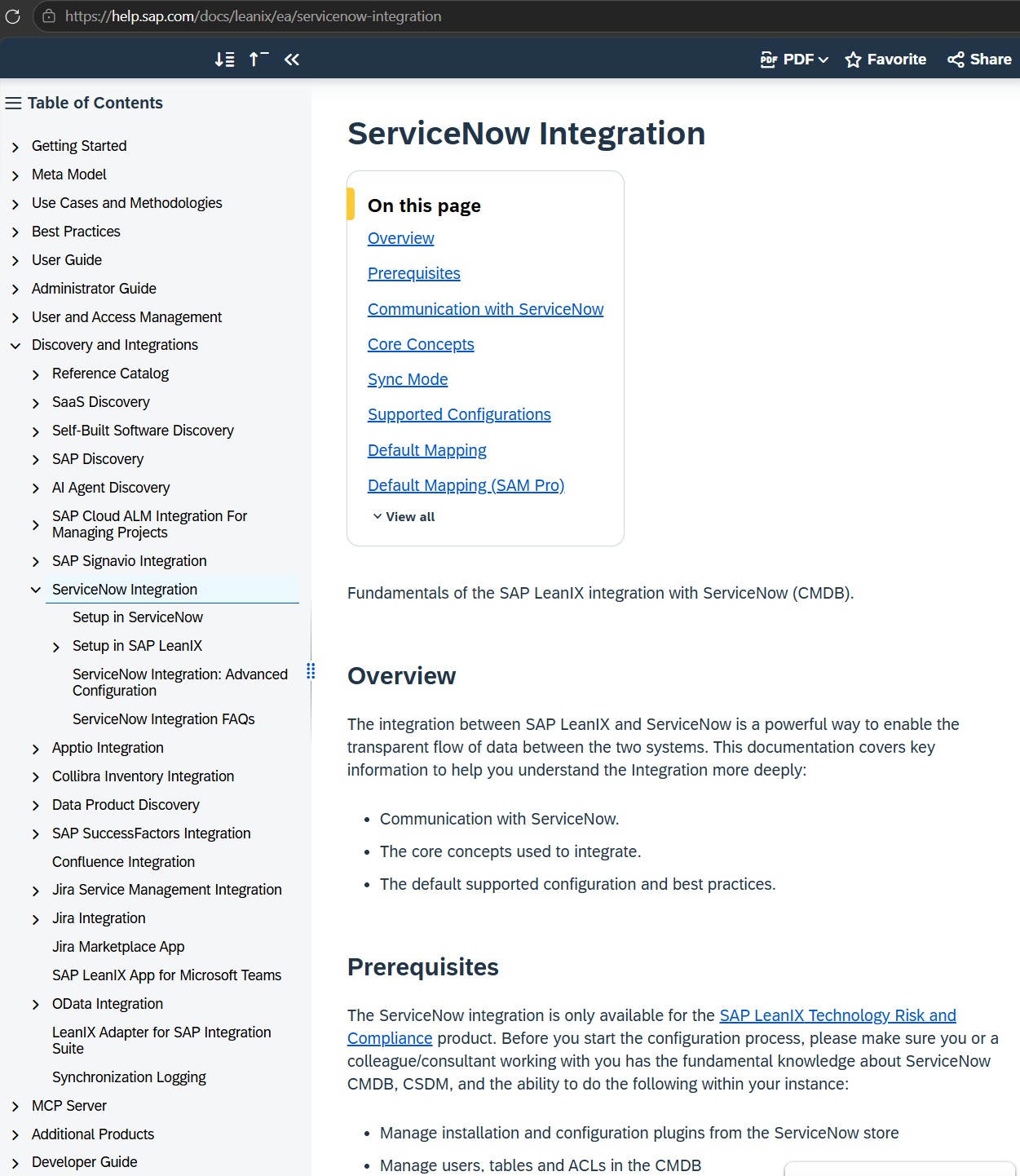
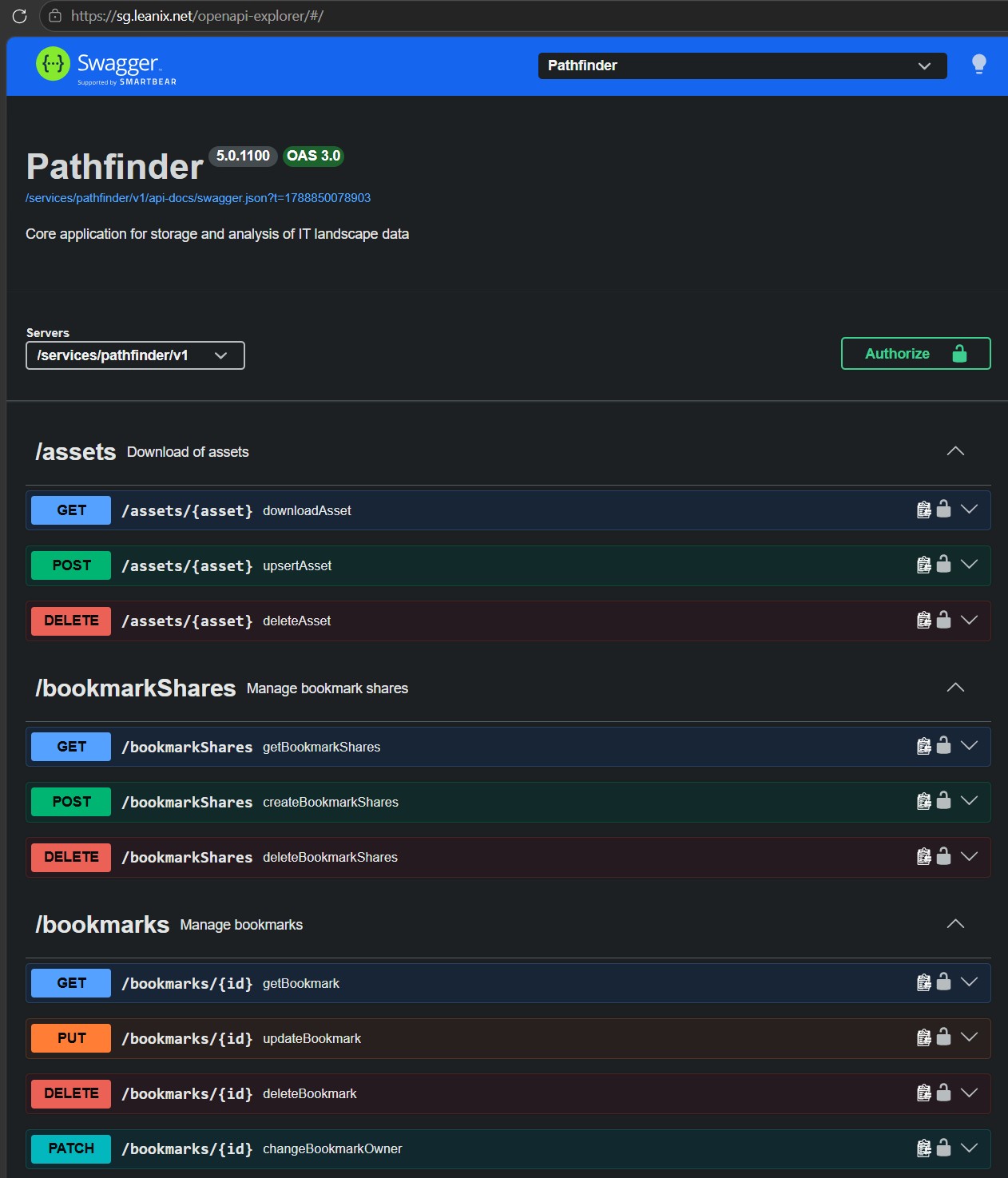
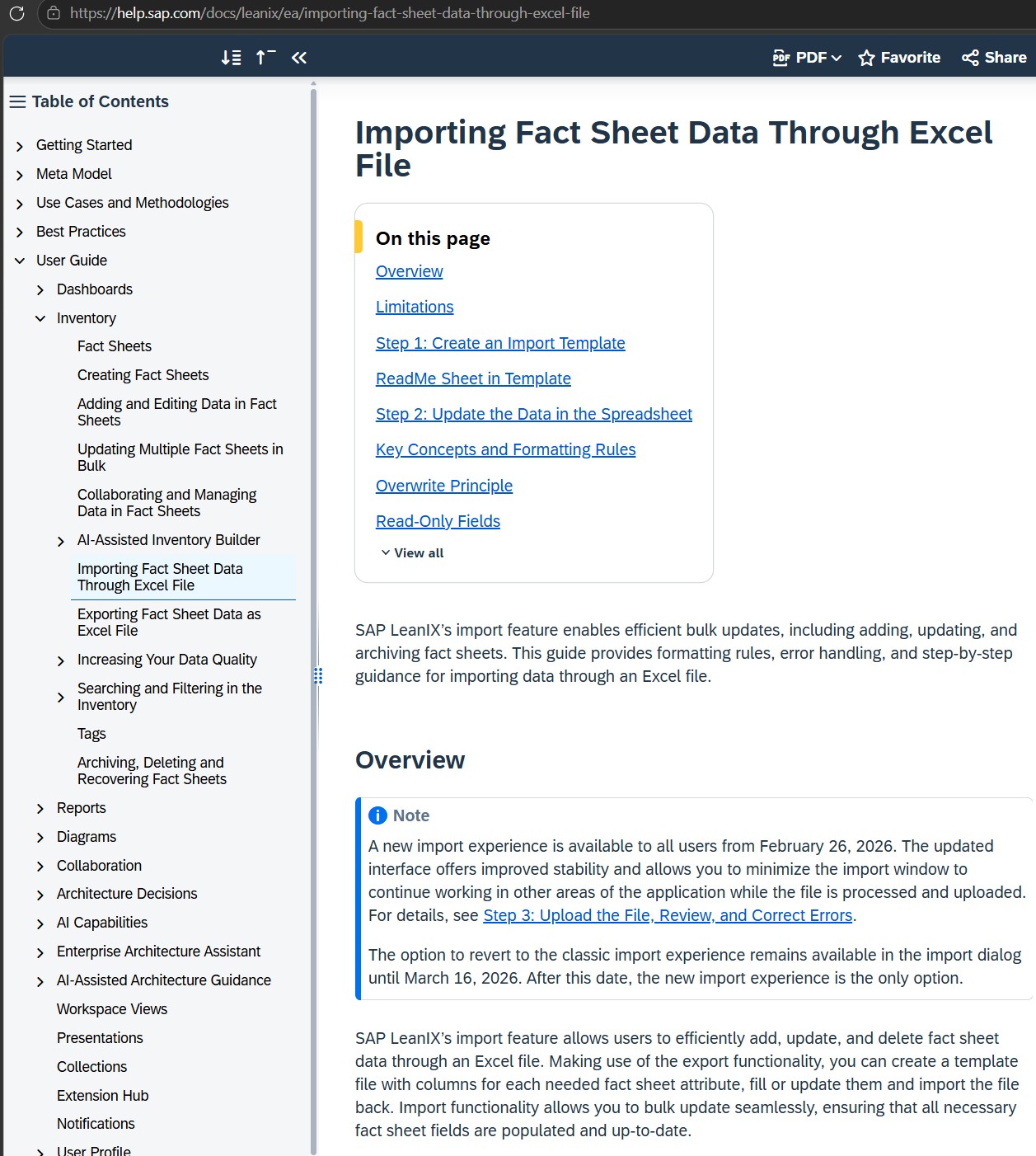
LeanIX can combine native connectors, APIs, and spreadsheet exchange to bring source data into the architecture repository.

Use the native connector to exchange selected data with ServiceNow and connect operational records to the architecture model.

LeanIX ServiceNow integration config
Capture 16 — ServiceNow A configured source for operational architecture data.
06
Closing & Resources

Context before automation

02 min

Without architecture context, AI gives generic answers. With connected and governed EA data, it can help answer enterprise-specific questions and expose the evidence behind them.

Key takeaways
  • EA provides decision contextIt connects strategy, capabilities, applications, technology, ownership, and change.
  • LeanIX makes the context reusableThe repository keeps relationships visible, governed, and available across reports, diagrams, and integrations.
  • AI accelerates accessAI can discover and query architecture data, while architects validate evidence and remain accountable for decisions.
Resources